

small form factor
preinstalled
and nDPI built in
The recommendation
Who should choose nBox Mini
nBox Mini is a low-cost, small-form-factor appliance with ntopng preinstalled and optional nProbe. Choose it when you want a ready hardware solution for traffic analysis and flow collection, with no software installation.
- You want ntopng, PF_RING and nDPI built in and managed through the nBox UI.
- You monitor smaller links: the Jet4 and Mini models list 2.5 Gbit/s.
- You want visibility and cybersecurity analysis on a compact box.
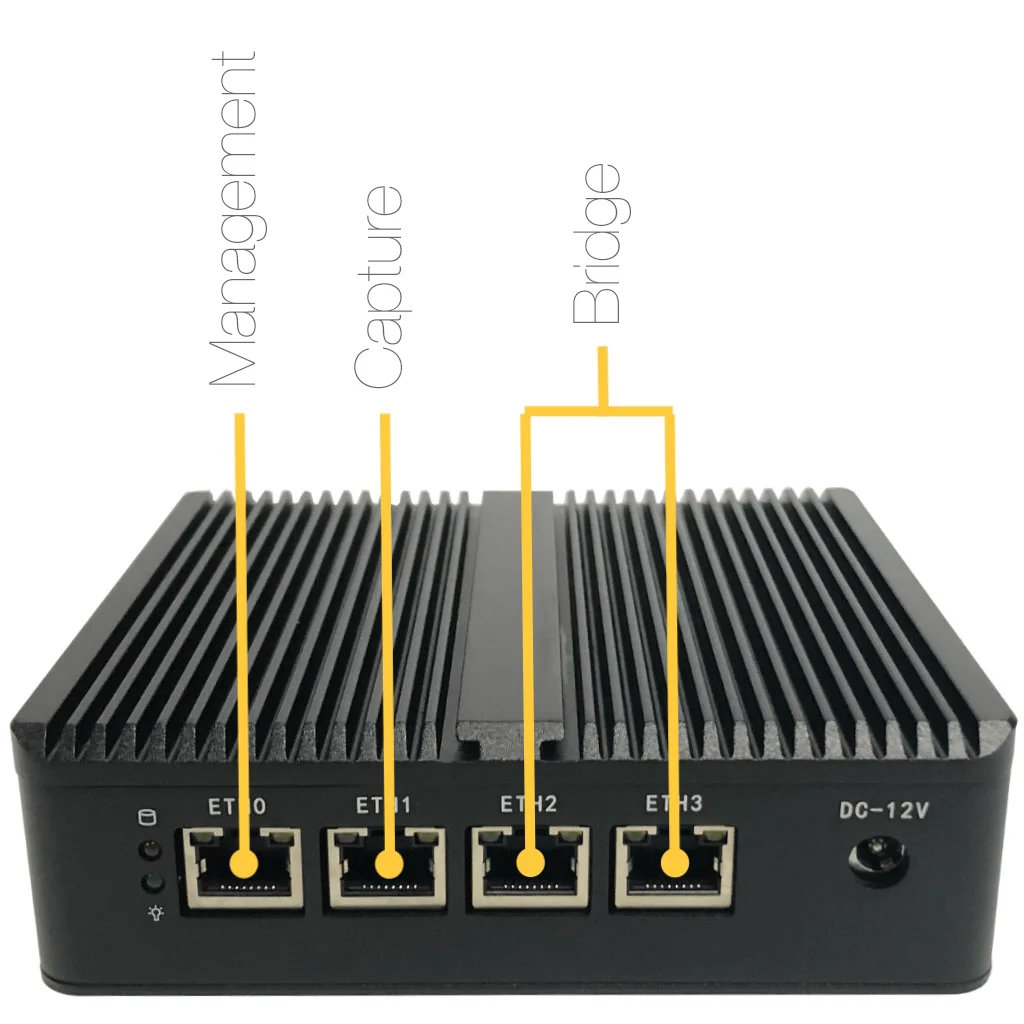
The ideal use case
Ideal use case for nBox Mini
- Environment: small sites where a rack server is too much.
- Team: practitioners who want a turn-key device with web interface and REST API.
- Technical requirements: small form factor PC, warranty depending on the reseller.
- Problem solved: real-time and historical traffic, latency, retransmissions, SNMP, behavioral analysis and alerts.
The alternatives
nBox Mini alternatives, compared
Same criteria for each option: role, when to choose it, limits and cost.
ntopng software
- Role: Same analysis on your own hardware.
- Choose it when: You have a server or VM.
- Limits: You install and maintain it.
- Cost: Community free
nBox NetFlow
- Role: Rackmount probe up to 100 Gbit.
- Choose it when: You need to scale up.
- Limits: Priced by quote.
- Cost: Get a quote
The tradeoffs
When nBox Mini is not the right choice
- Capacity is small: for high-speed links use nBox NetFlow or Recorder.
- It does not record full packets.
- Hardware warranty depends on the reseller.
The proof
Specifications, versions, pricing and documentation
Features, supported platforms and protocols, editions with prices, documentation links and answers to common questions follow below.
Open Source Technologies
nBox relies on Open Source high-performance technologies, including the PF_RING packet capture framework for capturing and processing traffic at high speed, the nDPI Deep Packet Inspection framework for traffic classification, and the ntopng traffic analyser.

at a glance
Key Features
- Show realtime network traffic, active hosts and communications, with focus on traffic visibility and cybersecurity
- Discover Layer-7 application protocols (Facebook, YouTube, BitTorrent, etc) by leveraging on nDPI Deep Packet Inspection technology
- Sort network traffic according to many criteria including IP address, L7 application protocol, throughput
- Produce historical traffic reports to analyse past network activities and have control of network usage over time
- Monitor even low level network metrics including traffic throughput, network and application latencies, TCP retransmissions, out of order packets, packet lost
- Store on ClickHouse persistent traffic statistics to allow future explorations and post-mortem analyses
- Geolocate and overlay hosts in a geographical map
- Full support for IPv4 and IPv6
- Flexible alerts handling
- SNMP v1/v2c/v3 support and continuous monitoring of SNMP devices
- Behavioural traffic analyses such as lateral movements and periodic traffic detection
- REST API to ease integrations with third-parties
- nBox UI to manage the appliance using a user-friendly web interface
Specifications
Tech Specs
- Linux
- Web GUI available through any HTML5-ready browser
- TLS/HTTPS support
- nboxui
- ntopng
- nProbe (optional)
- Small form factor PC
- Depending on the reseller
models
Choose Your Model
Different models have different capacity.
Jet4
- Web-based UI
- ntopng Enterprise M (included)
- ClickHouse (optional)
- nProbe Pro (optional)
- Form factor: 109.2 x 125 x 39.5 mm
- Monitoring port options:
- 3x 2.5GbE Intel Copper
- Link Speed: 2.5 Gbit/s
Screenshots
Gallery
Related
Keep exploring
Pricing and editions
Compare editions and ways to buy.
Solutions
By use case and industry.
User guide
Installation and configuration.
Get started
Ready to see it on your network?
Download the free Community edition of ntopng, compare editions and buy in the shop, or talk to the ntop team about your requirements.