
TLS Fingerprinting: JA3 vs JA4 Explained
Recognize the client behind an encrypted connection
A TLS fingerprint identifies the client software behind an encrypted connection by looking at how it starts the TLS handshake.
It lets you recognize browsers, libraries, malware families and automation without decrypting traffic. The open source nDPI library extracts these fingerprints, and ntopng and nProbe report them per flow.
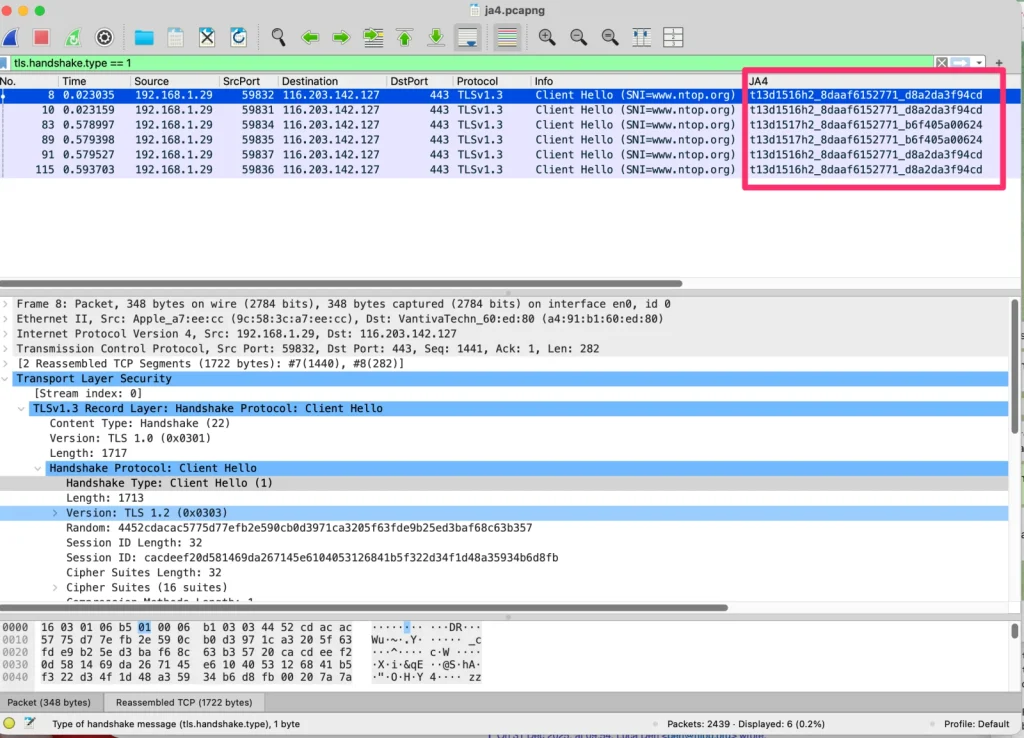
and JA4
fingerprint too
open source nDPI
Basics
JA3 and JA4 in a nutshell
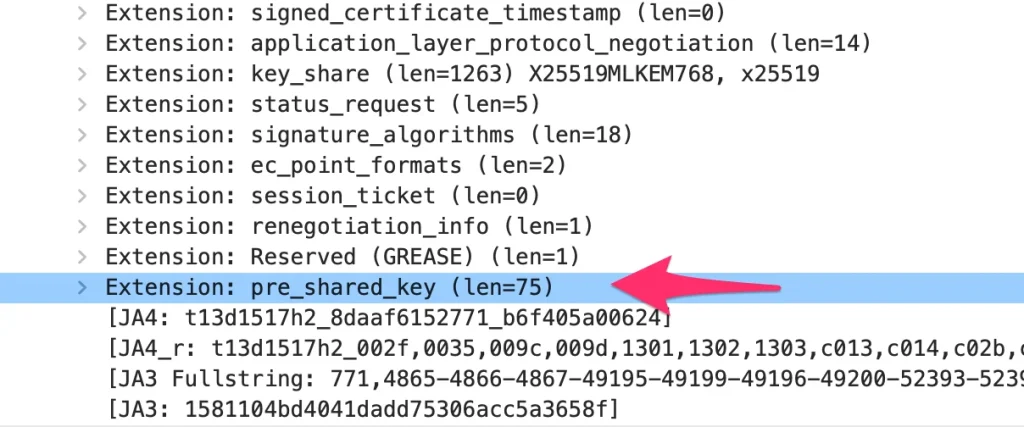
- JA3 hashes TLS ClientHello fields: version, cipher suites, extensions, elliptic curves and point formats. It is simple, but modern clients randomize extension order, so the hash is not stable.
- JA4 sorts the fields and produces a readable, structured value that stays stable and carries extra context.
Example
How to read a JA4 value
Take t13d1516h2_8daaf6152771_d8a2da3f94cd, a value commonly seen from modern browsers.
- t: TCP (a q would mean QUIC)
- 13: TLS 1.3
- d: a destination domain (SNI) is present
- 15 and 16: number of cipher suites and extensions
- h2: first ALPN value, HTTP/2
- The two hashes summarize the sorted cipher suites, and the extensions with signature algorithms.
Read more
Is JA4 obsolete? What comes next
Is JA4 now obsolete?
Where JA4 works and where it does not.
Effective TLS fingerprinting beyond JA3
Techniques that go further.
The nDPI traffic fingerprint
Beyond JA3 and JA4.
The nDPI TCP fingerprint
A stable, patent-free way to fingerprint TCP stacks.
Beyond the 5-tuple
Going further in network flow analysis.
In practice
Use fingerprints in your network
- Spot unusual clients talking to sensitive servers by watching fingerprints per host in ntopng.
- Export fingerprints with flows using nProbe and send them to your SIEM.
- Embed the detection in your own product with the nDPI library.
FAQ
Frequently Asked Questions
What is JA3?
JA3 is a method to fingerprint a TLS client by hashing fields from the ClientHello (version, ciphers, extensions, curves and point formats). Similar clients produce the same hash.
Why was JA4 created?
Modern browsers randomize the order of TLS extensions, which makes JA3 hashes unstable. JA4 sorts those fields, so the same client produces a stable value, and it adds readable parts such as TLS version, SNI presence and ALPN.
Does nDPI support JA4?
Yes. nDPI extracts TLS fingerprints including JA4 and is used by ntopng and nProbe to report them per flow.
Are TLS fingerprints enough to detect malware?
No. They are one signal. Combine them with destination reputation, behavior and flow risks. nDPI also provides newer traffic fingerprints that go beyond JA3 and JA4.
Get started
Detect fingerprints in your traffic
Download the free Community edition, compare editions and buy in the shop, or talk to the ntop team about your requirements.