
Network Traffic Analysis Software & Tools
What it is, what to compare and how to choose
Network traffic analysis software shows what is happening on your network: which hosts and applications use the bandwidth, where latency and retransmissions come from, and which communications look suspicious.
This guide explains the data sources and the features to compare, and how ntopng covers them.
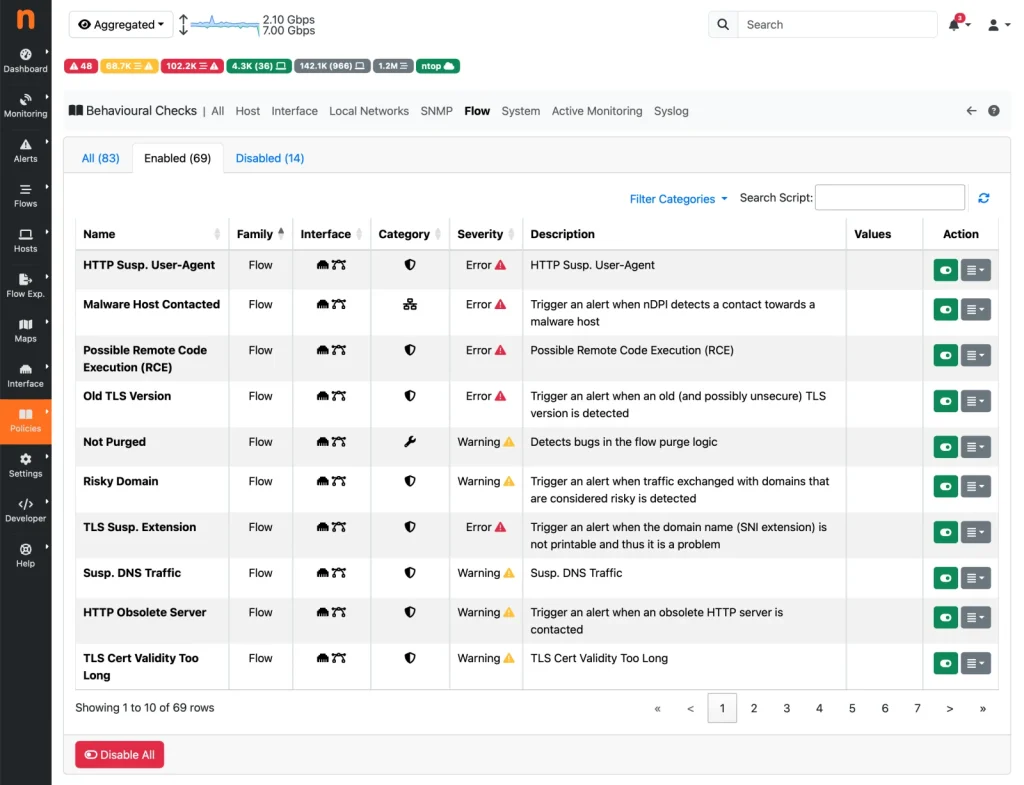
and historical
Layer-7 protocols
data sources
Data sources
Choose your data source
| Source | Best for | Trade-off |
|---|---|---|
| Packets (mirror port or TAP) | Detail: applications, latency, TLS metadata | Needs capture at the monitoring point |
| Flows (NetFlow, sFlow, IPFIX) | Many sites and routers with low overhead | Less detail than packets, sampling may apply |
| SNMP | Device and interface health and utilization | No view of applications or hosts |
Checklist
Features to compare
- Real-time and historical views of hosts, flows, interfaces and applications.
- Layer-7 detection that works on encrypted traffic (nDPI recognizes hundreds of protocols).
- Performance indicators such as round-trip time, retransmissions and throughput.
- Alerts for anomalies, scans, blacklisted hosts and policy violations.
- Integrations with Grafana, InfluxDB, firewalls and SIEMs.
- Scale from a single link to thousands of hosts and multiple sites.
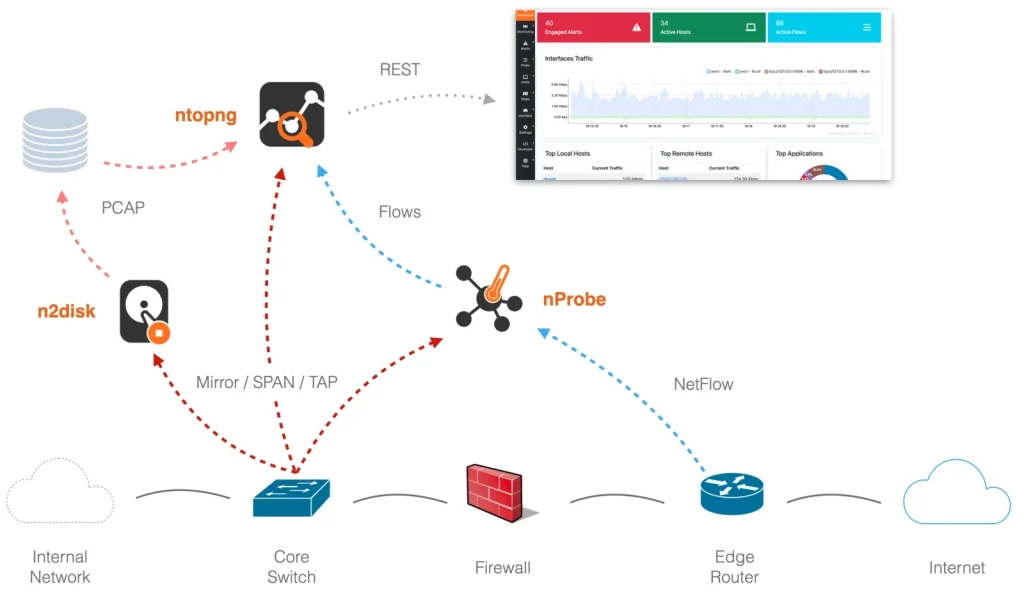
How ntopng and the ntop tools fit
Keep exploring
Related solutions
Network Visibility and Monitoring
See every host, flow and application.
Network Performance and Observability
KPIs, latency and QoE.
Threat Detection and Network Security
Detect suspicious behavior.
FAQ
Frequently Asked Questions
What is network traffic analysis software?
Software that collects traffic data (packets, flows, SNMP) and turns it into answers: top talkers, application usage, performance problems and suspicious behavior.
Packets, flows or SNMP: which data source should I use?
Packets give the most detail, flows scale across many sites with little overhead, and SNMP gives device and interface health. Most networks combine them, and ntopng accepts all three.
Can ntopng analyze encrypted traffic?
ntopng cannot read encrypted payloads, but nDPI identifies the application and extracts metadata such as TLS handshake details and fingerprints, which is usually enough for visibility and anomaly detection.
Is there an AI option?
Yes. nAnalyst is an AI analyst layer for ntopng that lets you ask questions about your traffic in plain language and runs on your own infrastructure.
Get started
See your own traffic
Download the free Community edition, compare editions and buy in the shop, or talk to the ntop team about your requirements.