
Network Traffic Analysis Software
Real-time visibility, AI investigation and inline control
Network traffic analysis software shows who talks to whom, which applications use the bandwidth and where problems or threats hide.
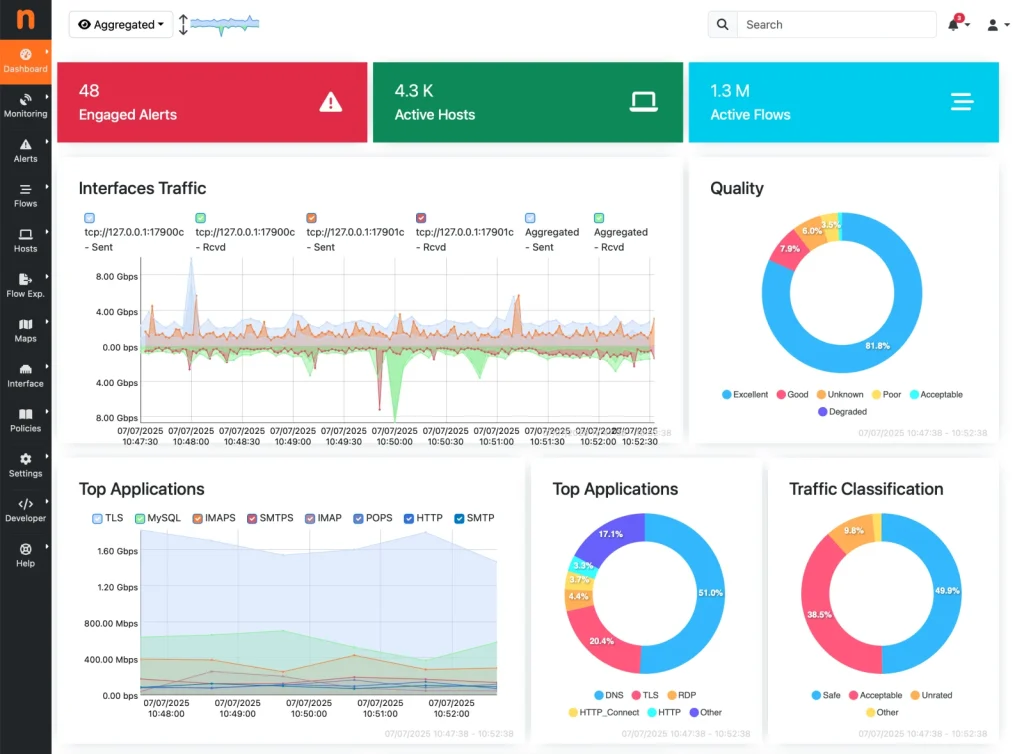
ntop offers real-time analysis with ntopng, AI-assisted investigation with nAnalyst and inline control with nEdge.
Our products
Which traffic analysis tool fits you?
ntopng
Web-based traffic probe and flow collector with a free Community edition. Start here for most networks.
nAnalyst
AI analyst layer for ntopng. Ask questions in plain language, on your own infrastructure.
nEdge
Gateway with per-user Layer-7 policies and fair bandwidth sharing.
nEdge Lite
Lightweight, headless Layer-7 firewall and probe for Linux.
Data sources
Where the traffic comes from
ntopng analyzes packets from mirror ports and TAPs, flows exported by routers and switches (NetFlow, sFlow, IPFIX via nProbe), SNMP devices and firewall logs. Read the guide on network traffic analysis software or explore the solutions by use case and industry.
Which traffic analysis product do I need?
ntopng is the core of the ntop stack: real-time and historical visibility of hosts, flows and applications, with a free open source Community edition. nAnalyst adds an on-prem AI analyst on top of ntopng data. nEdge and nEdge Lite add Layer-7 policy enforcement for gateways. Most teams start with ntopng and add the others as needed.
Get started
Not sure which one to choose?
Download the free Community edition, compare editions and buy in the shop, or talk to the ntop team about your requirements.