Usage Statistics
nAnalyst provides built-in visibility into LLM usage — both in terms of token consumption and dollar cost — broken down by user, model, and operation type.
Why usage tracking matters
LLM-powered tools can generate unexpected costs at scale. nAnalyst makes cost visible and attributable from day one so teams can:
Budget for AI-assisted investigations
Identify heavy users or costly query patterns
Compare cost across different LLM models
Demonstrate ROI by correlating usage with incidents resolved
Usage dashboard
The usage statistics page shows:
Token breakdown
Total input and output tokens over a selectable time range
Per-user token consumption
Per-LLM model token consumption
Breakdown by operation type: tool call execution, response generation, context management
Cost tracking
Dollar cost per session, per day, per user
Cost per model (see model cost configuration below)
Cumulative spend over time
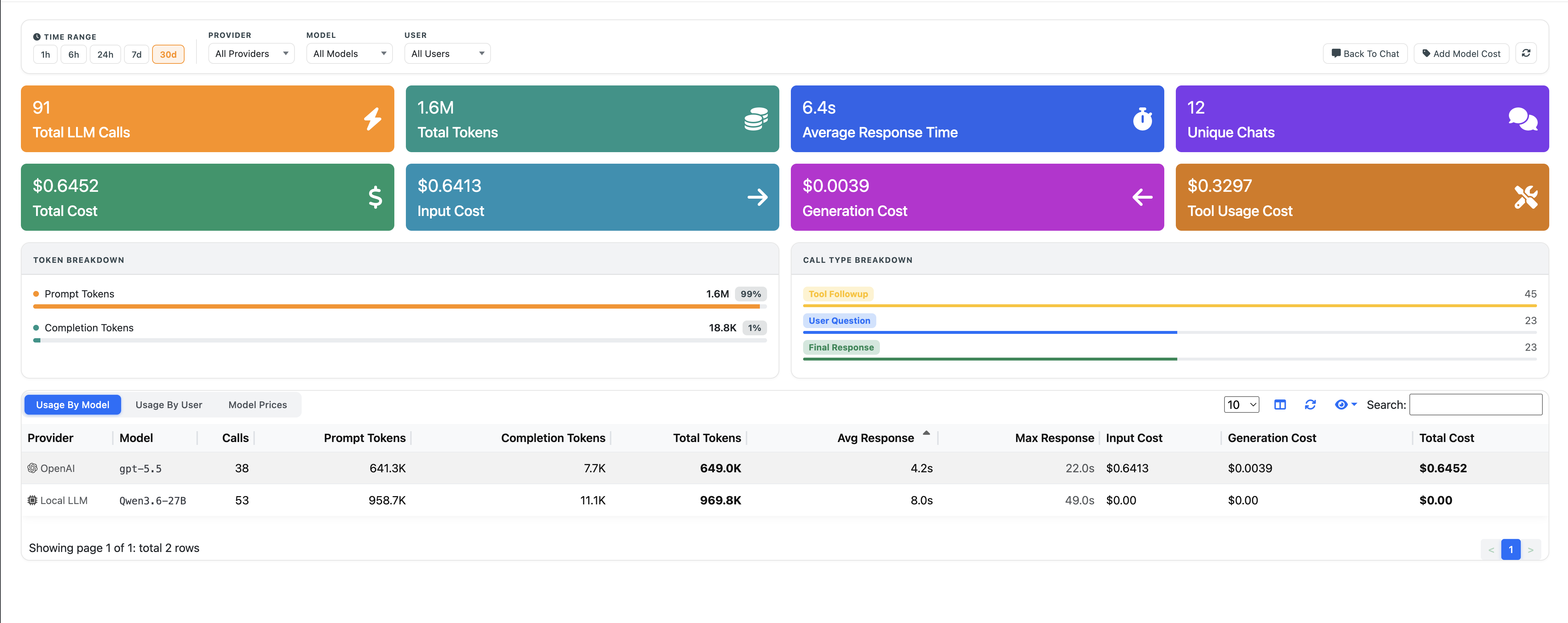
nAnalyst Usage Stats
Model costs can be added by clicking on the right part ‘Add Model Cost’:
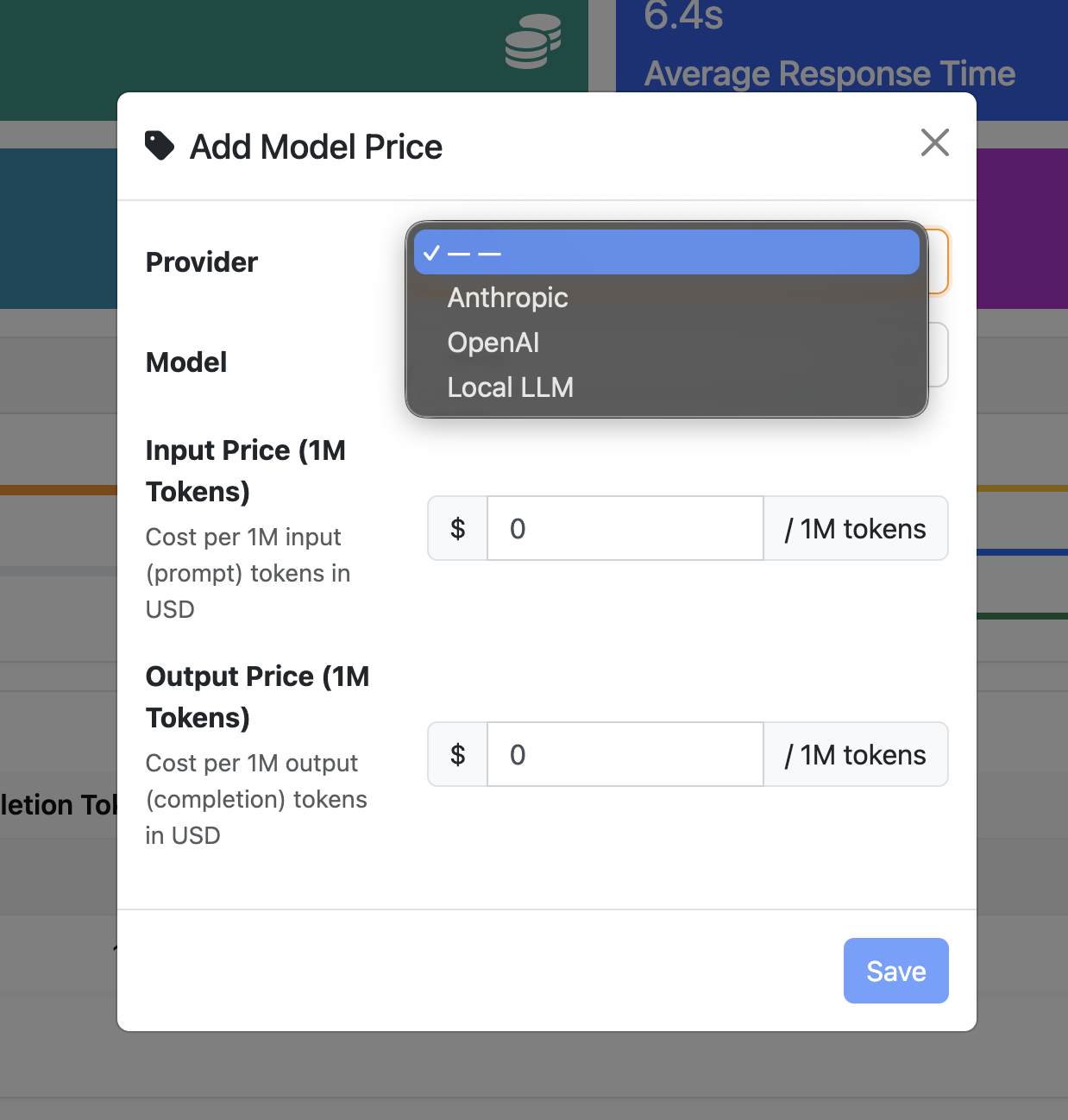
nAnalyst Add LLM Model Cost
Model cost configuration
nAnalyst allows you to configure pricing for any model:
Navigate to nAnalyst settings → Model Costs
Select an existing model or enter a new model name
Enter the input price and output price per 1M tokens
Costs are applied retroactively to the historical usage display
This supports accurate cost accounting for:
Pay-per-use cloud APIs (Anthropic, OpenAI)
AWS Bedrock per-token pricing
Local inference servers (set cost to zero or to a compute cost estimate)
Interpreting the data
Each row in the usage breakdown corresponds to one nAnalyst session. The columns show:
User — the ntopng user who initiated the session
Model — the LLM model used
Input tokens — tokens sent to the model (questions + tool results + context)
Output tokens — tokens generated by the model (reasoning + answers)
Tool calls — number of domain tool invocations in the session
Cost — estimated dollar cost based on configured model pricing
Timestamp — session start time